
MDCGrid
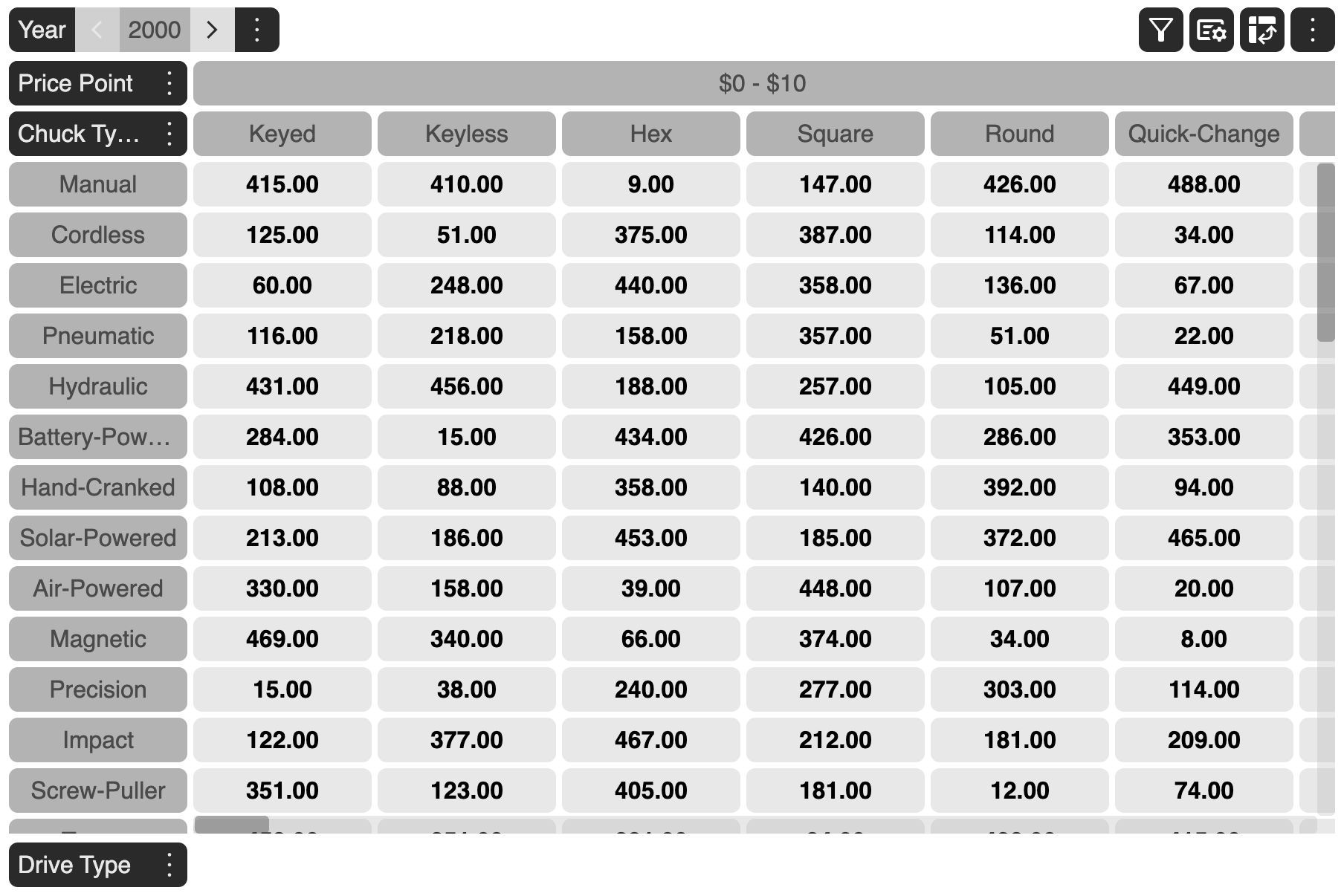
The MDCGrid, Multi-dimensional Cross Attribute Grid is a high performance, feature rich, JavaScript Multi-Dimensional Grid that organizes layout by dimensions and has the ability to present related information in a single cell.
Why MDCGrid?
This explains the need for Multi-Dimensional Cross-Tab (MDC) Grid in today’s world.
Problem with existing grids
Most grids, multidimensional or not, are only able to display one value in a cell. This is restrictive when presenting related information at the intersection of multiple dimensions. The only option is to show multiple related values in contiguous columns or rows. That approach increases the span of the view port that the user’s eye has to scan to gather related information, resulting in higher cognitive load, and sometime requiring them to scroll the screen, causing them to perform unrelated physical and cognitive work, which results in distraction from the task at hand.
How does MDC solve the problem?
MDC-Grid’s core principle is that it organizes the layout by the dimensions and allows presentation of all related information in one cell. It further allows flexibility of presentation of that information by providing two inbuilt, easy to configure options, for efficient, succinct and insightful presentation of related values.
Elements of MDC Grid
There are 5 major elements that constitues the MDC Grid:
Dimensions
It refers to the various axes or directions in which data can be organized and analyzed in a grid. A dimension could further be categorized into :
Dimension Header
It refers to the labels or titles that identify the different dimensions or axes of the grid. These headers help users understand and navigate the various dimensions of data being analyzed.
Examples of Dimension Headers:
- Time: This could include headers like “Year,” “Quarter,” “Month,” and “Day.” For a sales report, headers might include “FY2024,” “Q1,” “August,” and “18th.”
- Location: Headers might include “Country,” “State,” “City,” or “Region.” For instance, a grid might have headers like “United States,” “California,” and “San Francisco.”
- Product: Headers could be “Category,” “Subcategory,” and “Product Name.” For example, “Electronics,” “Laptops,” and “Dell XPS 13.”
Enterprise Edition
Community Edition
Enterprise Enterprise Edition | Community Community Edition | |
|---|---|---|
| Markdown Content | ||
| Pivoting | — |